Comprehensive Input and Output managementt

Input and output management modernisation has to consider a supply chain ranging from the application layer, through output management systems, to the co-ordination and control of documents with spooler solutions. This supply chain is also supported by document archives and archiving systems, and by document and document generation quality assurance and visualisation tools. All of this must be taken into account for both full-fledged supply chain modernisation projects and for optimisation of individual components within the chain. Businesses have their own, specific needs when it comes to existing technology. These needs in turn influence what to consider when planning for and developing input and output modernisation strategies. All generated documents must also meet quality standards because many documents are public facing.
Tailored solutions for your business
The starting points for input and output modernisation and optimisation projects are as diverse as the businesses embarking on such projects themselves. Business could be looking to overcome challenges related to re-hosting core applications, or they may need to consolidate their systems, deploy additional quality checks, or even embark on a complete re-development. EasiRun and its partner, Compart AG, analyse the entire input and output management supply chain and its defining parameters, and use the results of this analysis to develop a value-added, tailored solution comprising of the right combination of tools.
Creating added value together
Fast technological progress and its implications turn modernisation into a continuous process. Within business IT, added value is generated through iterative phases. EasiRun accompanies you throughout all of them. Each phase on its own creates added value, but the totality of all phases increases the added value exponentially. The figure below visualises the phases within a typical modernisation process. Each phase builds on preceding ones, and all involve the use of documents, data, applications and human interactions.
Finding the right modernisation method and approach depends on an initial analysis of existing applications, application data and documents, and business process and related resources and labour. The next phase is to consolidate and standardise applications and any related tasks, which can change what data the remaining systems use and how they do so. We work with you to optimise IT-run processes or to change platforms or products used in your business processes, and in doing so we can help you reduce your costs. By moving towards industry standards and creating comprehensive interfaces you can make the most of new technologies and in turn make future continuous modernisation much easier.

Throughout the ongoing process, we combine our expertise and know-how with efficient, effective, and targeted use of appropriate tools. In designing the right solution, we take the existing technology stack, application contents, and operations requirements into account.
Overview of our optimisation tools
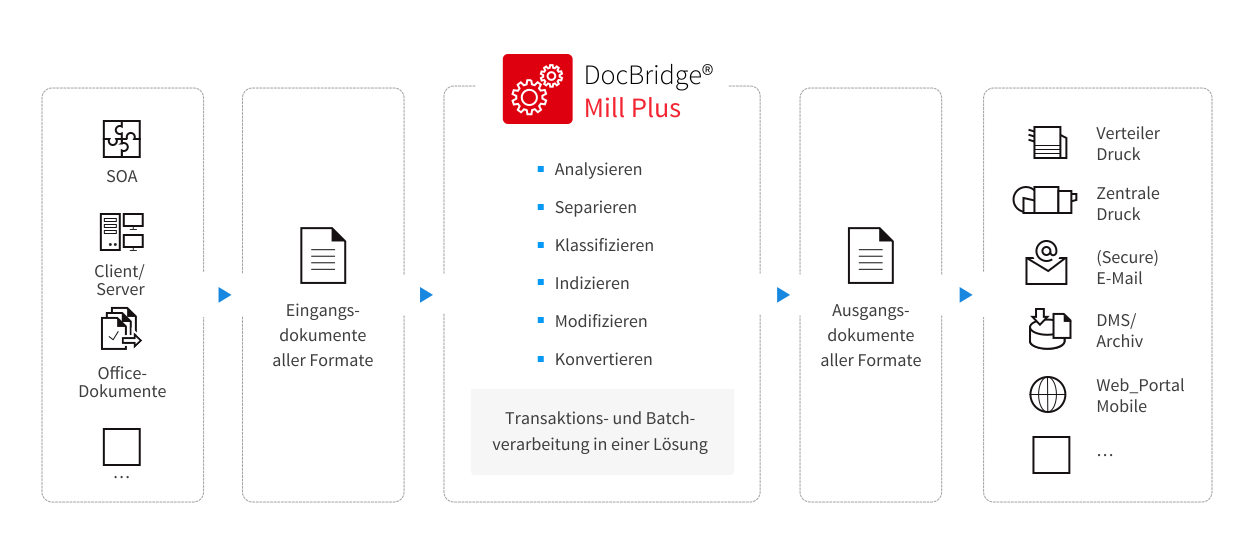
DocBridge® Mill Plus
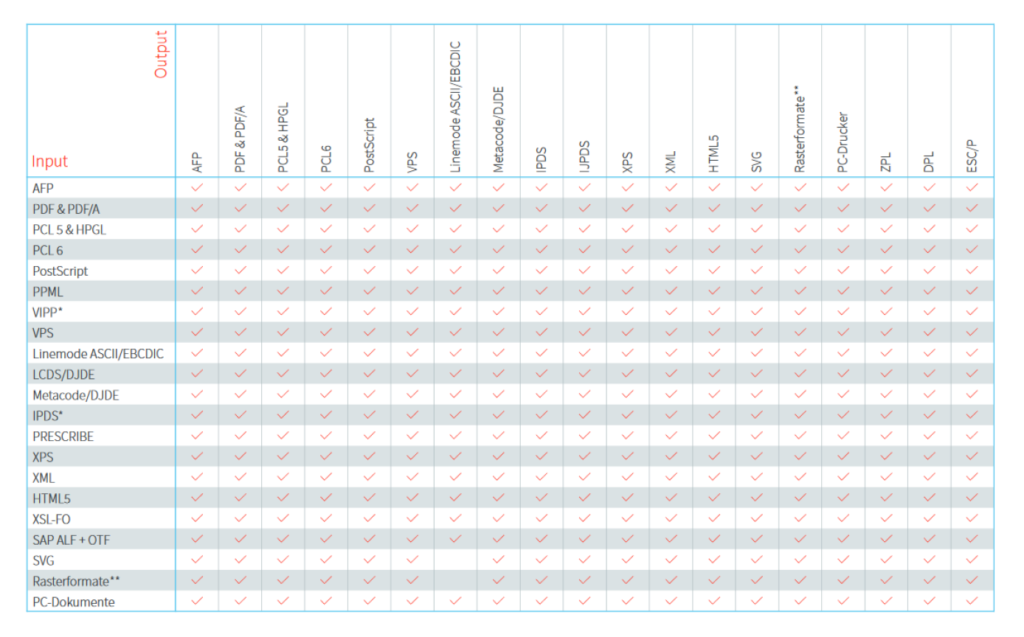
Universal document processing across formats and channels – process documents of any format and origin, for all digital or analogue communication channels (analysis, classification, modification, splitting and mixing, converting).
DocBridge® Pilot
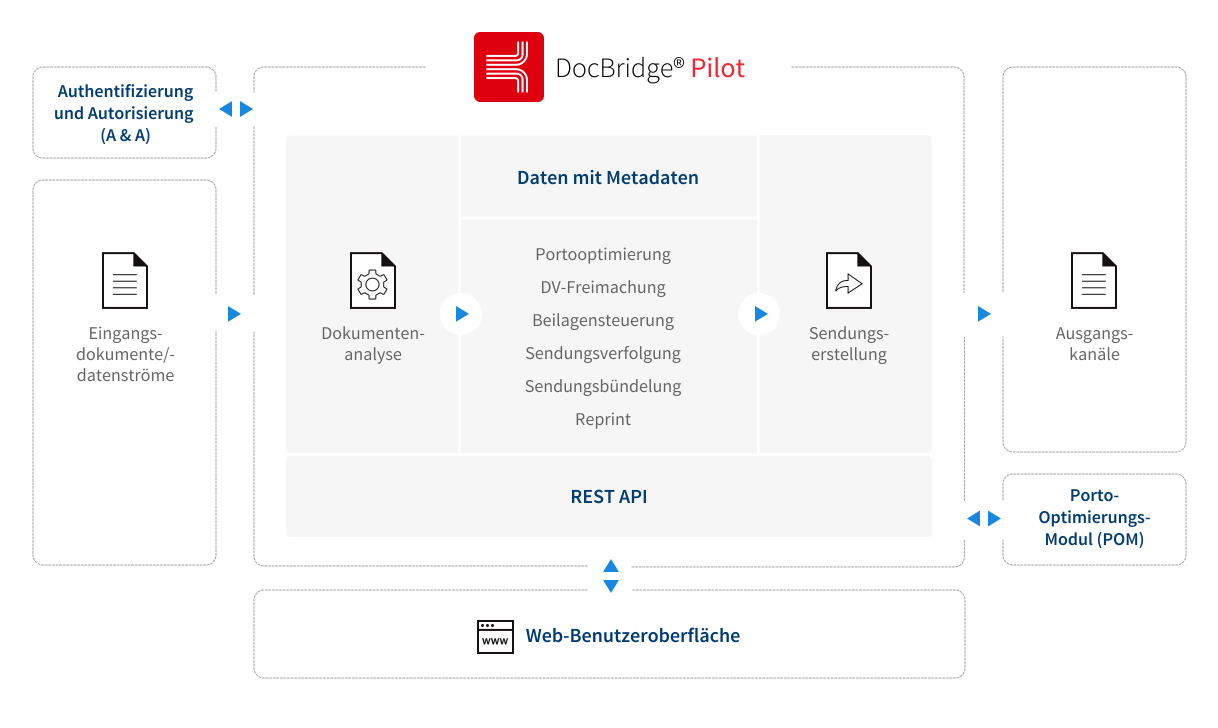
Output management software for cost-optimised omni channel client communications – supports fully optimised output management processes, collects and mixes documents from different sources and offers multi-channel output that is optimised for various client communication channels including online, print and archive.
DocBridge® Queue Processor
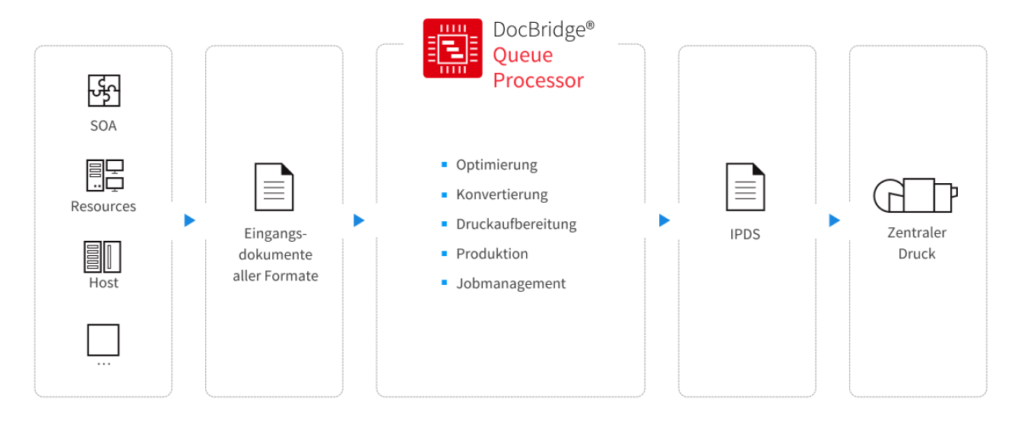
Centralised control and optimisation of print production – optimised control of new high speed Inkjet multi-function printers, with integrated converting and optimised IPDS printing. Automated distribution of print jobs via queues reduces day-to-day pressure on employees.
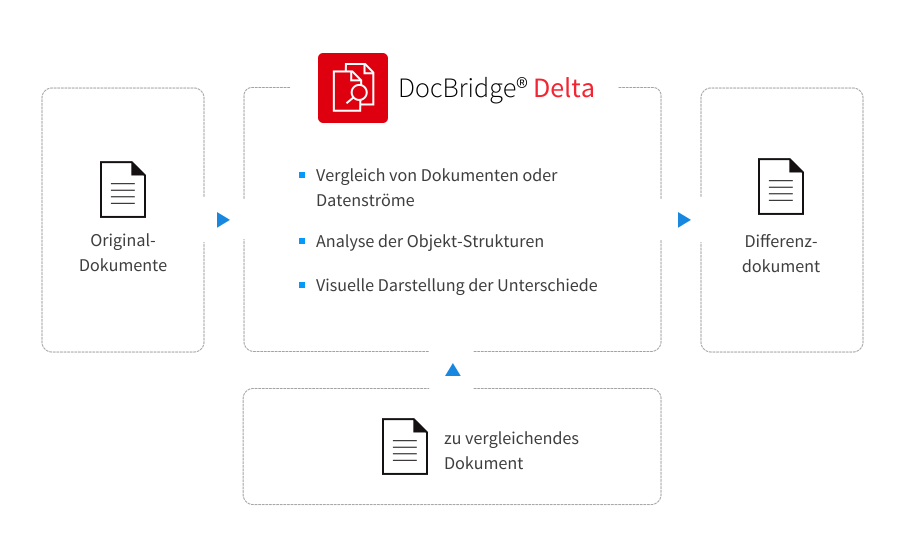
DocBridge® Delta
Quality assurance for document and output management – your comparison tool for quality assurance and process optimisation in document design. It highlights all differences between two documents and includes modules for end users and for automated comparisons. For highest quality outputs, DocBridge® includes sophisticated checks down to the last pixel.
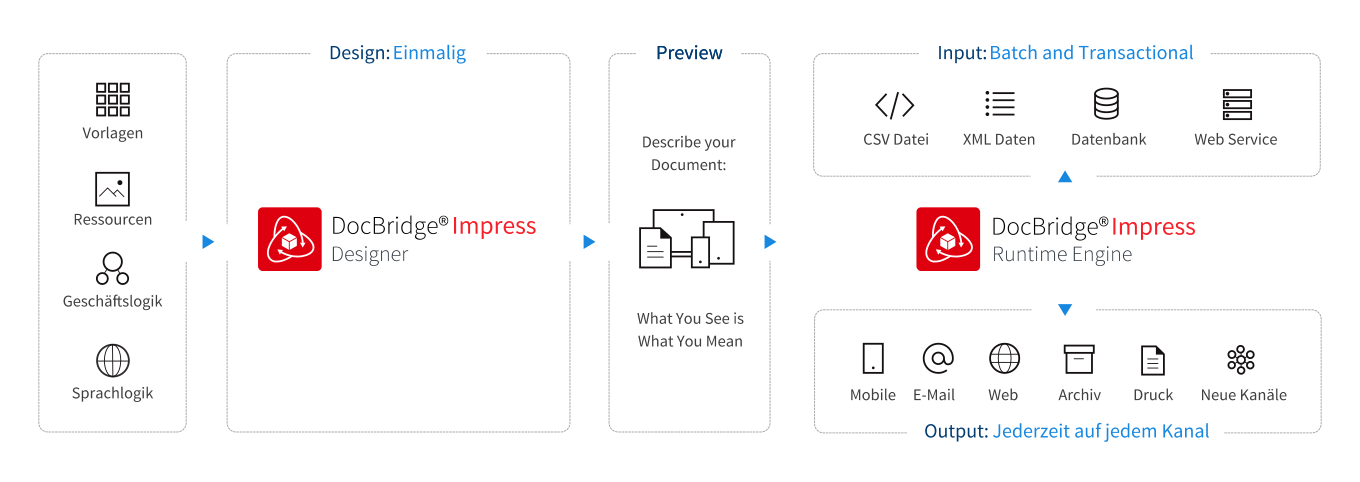
DocBridge® Impress
Print, web and mobile document creation – uniform and future-proof print, web and mobile document creation. Predictable results for every channel with our digital first approach – next generation document design.
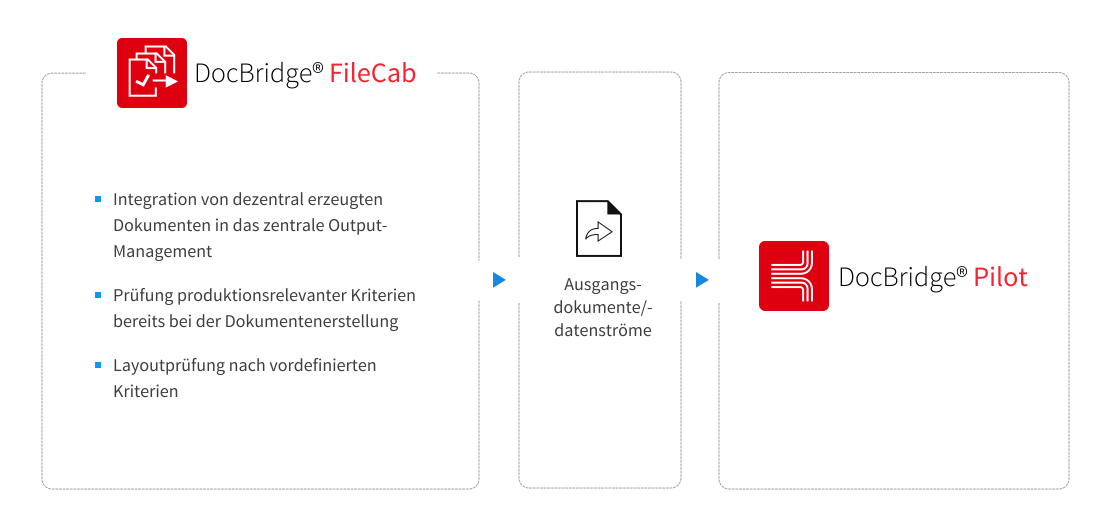
DocBridge® FileCab
Centralised processing and quality assurance of locally generated Office documents – the enterprise solution to review and send business communications from your computer. Enables auditable processes, saves time and significantly reduces the number of local printers. Protect your corporate identity and document quality at all levels.
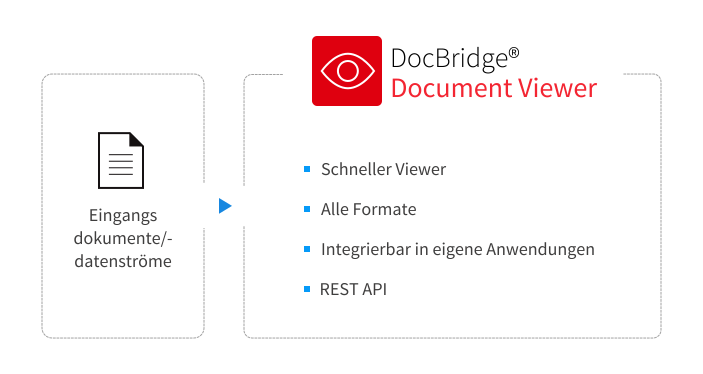
DocBridge® Viewer
Document viewer for all formats – supports all formats that are typically used for printing and archives such as complex mixed object (compound) formats and for common raster file formats.
Abilities: summary
-
- DocBridge® products use open standards which makes them highly flexible and interoperable.
- Compart products have a modular architecture and support all relevant platforms, which means they can be easily integrated into existing environments.
- Compart products enable everything from viewing documents of different types and comparing documents in different formats, over converting, editing and amending documents in synchronous batch modes, to large-scale database-supported asynchronous bundling solutions that allow for tailored document distribution regardless of channel.